
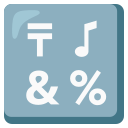
🔣 input symbols Emoji
Copy input symbols Emoji
Copy the raw 🔣 character instantly to your clipboard.
Download input symbols Emoji
Download the high-res graphic for design drafts and mockups.
input symbols Emoji PNG Download
Get the transparent 72x72 raster PNG graphic.
input symbols Emoji SVG Download
Get the scalable vector graphic in SVG source format.
What does the input symbols Emoji mean?
The input symbols Emoji Copy guide is designed to help you quickly grab the 🔣 character, copy raw code values, and explore detailed input symbols Emoji Meaning profiles. Officially cataloged under the Symbols group and the alphanum subgroup, this graphic is a core part of the Unicode specifications, providing creators with a clean vector shape to convey concepts instantly in digital layouts.
If you need high-resolution assets for visual design or mockups, you can download the input symbols Emoji PNG as a transparent image file or grab the input symbols Emoji SVG vector layout directly. Tailored specifically for depicting mathematical symbols, religious glyphs, warning signs, and directional indicators, the 🔣 illustration bridges the gap between text communication and visual layouts, and it is frequently employed in technical documentation, warning notices, navigation buttons, and informational charts.
For application development, we display the official input symbols Unicode profiles below. Check out the copyable code slots for input symbols React components, input symbols Tailwind CSS classes, input symbols Flutter text blocks, and input symbols Markdown syntax. These shortcuts allow you to embed the emoji instantly into files hosted on input symbols GitHub or web templates.
If you are chatting in team workspaces or gaming servers, using the input symbols Discord shortcode or input symbols Slack syntax lets you express yourself instantly. Simply type the shortcode format to output the character automatically.
System developers can utilize the binary hex outputs to structure databases. Copy the input symbols UTF-8 code bytes or the input symbols UTF-16 surrogate pair numbers. These code points prevent character corruption when processing 🔣 in storage systems or network streams.
Lastly, you can copy the input symbols HTML Code (decimal/hex entity format) or the input symbols CSS Code escape value. These are useful for vanilla web development, styling stylesheets, and template layouts. Alternatively, you can copy the raw inline vector SVG XML code to paste it directly into your HTML document without importing external files.
Copy & Paste input symbols Code Snippets
Copy formatted code snippets of this emoji for developer integration across React projects, Tailwind class tags, Flutter mobile apps, or web HTML markup:
<span role="img" aria-label="input symbols">🔣</span>Raw Vector SVG XML Source of input symbols
Copy the raw SVG XML source code of the input symbols emoji for direct inline vector implementation without importing external files:
<svg xmlns="http://www.w3.org/2000/svg" viewBox="0 0 36 36"><path fill="#3B88C3" d="M36 32c0 2.209-1.791 4-4 4H4c-2.209 0-4-1.791-4-4V4c0-2.209 1.791-4 4-4h28c2.209 0 4 1.791 4 4v28z"/><path fill="#FFF" d="M12.83 27.757l.741-.854c.494-.57.836-.874 1.444-.874.551 0 1.045.475 1.045 1.196 0 .513-.437 1.121-1.045 1.805l-.475.514 1.292 1.462c.266.305.418.514.418.95 0 .646-.608 1.272-1.33 1.272-.437 0-.722-.133-1.007-.437l-1.311-1.368c-1.235 1.083-2.489 1.805-4.179 1.805-2.546 0-4.654-1.443-4.654-4.103 0-1.881 1.311-3.268 2.869-4.123-.741-.74-1.254-1.501-1.254-2.565 0-2.166 2.033-3.191 3.989-3.191 1.71 0 3.876.969 3.876 2.982 0 1.519-1.197 2.697-2.413 3.324l1.994 2.205zM8.137 26.56c-.855.552-1.634 1.216-1.634 2.299 0 1.197.817 1.862 1.976 1.862 1.025 0 1.69-.418 2.413-1.102L8.137 26.56zm1.235-5.148c-.494 0-1.14.379-1.14.949s.266.912 1.007 1.634c.57-.285 1.387-.798 1.387-1.481 0-.856-.76-1.102-1.254-1.102zm10.358.911c0-1.652 1.234-3.077 2.926-3.077 1.689 0 2.925 1.425 2.925 3.077 0 1.653-1.235 3.059-2.925 3.059-1.691 0-2.926-1.405-2.926-3.059zm3.914 0c0-.607-.36-1.14-.987-1.14s-.988.532-.988 1.14c0 .608.361 1.121.988 1.121.626 0 .987-.512.987-1.121zm4.616-2.583c.247-.475.438-.608.874-.608.589 0 1.12.476 1.12 1.063 0 .152 0 .285-.151.57l-6.384 11.949c-.284.399-.399.627-.854.627-.494 0-1.084-.475-1.084-1.045 0-.285.114-.551.19-.703L28.26 19.74zm-1.843 10.429c0-1.652 1.235-3.077 2.926-3.077 1.69 0 2.925 1.425 2.925 3.077 0 1.653-1.234 3.059-2.925 3.059-1.691 0-2.926-1.406-2.926-3.059zm3.913 0c0-.607-.36-1.14-.987-1.14s-.987.532-.987 1.14c0 .608.36 1.121.987 1.121s.987-.513.987-1.121zM3 3h14v3H3zm14 6H3v3h5v5h4v-5h5zm15-4l-5-2v8.203c-.538-.126-1.19-.203-2-.203-2 0-4 2-4 4 0 1 1 2 3 2 3 0 5-2 5-4V6.8L32 8V5z"/></svg>Unicode Technical Details of input symbols
Specific technical specifications and data profiles for the input symbols Unicode Consortium representation:
| Unicode Name | input symbols |
|---|---|
| Group Category | Symbols |
| Sub-group category | alphanum |
| Hex Codepoint | 1F523 |
| Shortcode notation | :input_symbols: (Slack / Discord) |
| UTF-8 Hex Bytes | F0 9F 94 A3 |
| UTF-16 Hex Surrogate | D83D DD23 |
| Shareable URL | /emoji/input-symbols |
Frequently Asked Questions
Find answers to common questions about using and integrating the input symbols emoji:
How do I copy the input symbols emoji?
To copy the raw 🔣 character, click the primary "Copy Emoji" button at the top of this page. For developers integrating the glyph, copyable component and styling snippets (React, Tailwind CSS, Flutter, and HTML/CSS codes) are available in the code tab interface above.
What is the Unicode code point for the input symbols emoji?
The official Unicode Consortium hexadecimal code point for input symbols is 1F523. It is cataloged under the Symbols group and the alphanum subgroup.
Cross-Platform input symbols Emoji Styles
Compare how the input symbols emoji character renders across different vector style sheets and native system designs:

Related Emoji Guides
Explore related vector graphics and copy codes in the same Unicode subgroup emojis: