
🦂 scorpion Emoji
Copy scorpion Emoji
Copy the raw 🦂 character instantly to your clipboard.
Download scorpion Emoji
Download the high-res graphic for design drafts and mockups.
scorpion Emoji PNG Download
Get the transparent 72x72 raster PNG graphic.
scorpion Emoji SVG Download
Get the scalable vector graphic in SVG source format.
What does the scorpion Emoji mean?
Need to copy the 🦂 character for your design or copy? Our scorpion Emoji Meaning reference details the official Animals & Nature category specifications. Using this guide, you can analyze the subgroup animal-bug classification and duplicate the glyph to your clipboard without an emoji keyboard, ensuring seamless cross-platform rendering.
You can easily save the scorpion Emoji PNG transparent mockup or copy the scalable scorpion Emoji SVG format. Handcrafted for symbolizing wildlife, ecological elements, weather patterns, and natural objects, this vector asset is optimized for digital illustrations, providing a clean copy of the 🦂 character for Figma, Sketch, or web design projects, finding frequent placement in creative design materials, educational content, and articles related to the environment, biology, or pets.
For application development, we display the official scorpion Unicode profiles below. Check out the copyable code slots for scorpion React components, scorpion Tailwind CSS classes, scorpion Flutter text blocks, and scorpion Markdown syntax. These shortcuts allow you to embed the emoji instantly into files hosted on scorpion GitHub or web templates.
In social messaging and community channels, using the scorpion Discord shortcode syntax or the corresponding scorpion Slack notation helps keep chat threads highly interactive and engaging. By referencing the standard shortcode notation, users can type and render the emoji character on the fly without using an emoji keyboard.
To structure database storage and avoid character parsing errors, use the scorpion UTF-8 byte sequence or the scorpion UTF-16 surrogate pair codes. These hex values ensure that 🦂 compiles cleanly in database systems.
Finally, copy the scorpion HTML Code entity or the styled scorpion CSS Code sequence. These are perfect for front-end layout styling, stylesheets, and custom web elements. You can also grab the raw inline SVG XML code to paste the vector directly into your source files.
Copy & Paste scorpion Code Snippets
Copy formatted code snippets of this emoji for developer integration across React projects, Tailwind class tags, Flutter mobile apps, or web HTML markup:
<span role="img" aria-label="scorpion">🦂</span>Raw Vector SVG XML Source of scorpion
Copy the raw SVG XML source code of the scorpion emoji for direct inline vector implementation without importing external files:
<svg xmlns="http://www.w3.org/2000/svg" viewBox="0 0 36 36"><path fill="#583529" d="M18.72 26.403c-.467 2.46 1.725 5.179 1.725 5.179s-.424-3.209.806-4.842c.847-1.126.247-2.372-.451-2.466-.7-.093-1.817.745-2.08 2.129z"/><path fill="#583529" d="M15.625 26.48c-2.522 1.884-4.935.761-6.144-1.08C8.274 23.558 7 24.61 8.2 26.604c1.199 1.992 4.824 4.955 9.171 1.585 3.299-2.554-.959-2.296-1.746-1.709z"/><path fill="#7C533E" d="M9.639 26.106C8.07 28.335 3.92 27.8 2.316 24.095c-1.55-3.582-.344-6.84.463-7.849.329-.41-.512 4.813 2.237 6.252 1.205.63-2.445-3.399-.695-7.133.525-1.12-.049 3.787 3.263 5.195 1.445.614 4.356 2.281 2.055 5.546zm2.675-4.273c.594-.753 1.641-1.554 8.499-1.554 5.125 0 6.58-2.417 8.287-3.02 5.838-2.061 3.757 11.752-5.972 11.752-9.73.001-11.612-6.168-10.814-7.178z"/><path fill="#7C533E" d="M23.172 20.081c6.388-1.071 8.032-8.666 5.911-12.581-1.99-3.674-6.98-5.397-11.153-1.958.159 1.028.505 5.625-3.341 6.183 1.227-2.514-2.538-4.374-1.394-7.633 1.146-3.259 4.257-2.477 4.523-1.631 3.157-2.543 7.24-2.793 8.832-1.21 4.747.042 7.714 3.234 7.712 5.582 2.738 2.729 1.372 9.473.226 10.217.512 4.034-.661 7.755-5.112 9.043-.769.223-11.916-5.054-6.204-6.012z"/><path fill="#AF7E57" d="M18.013 25.546c-1.06 1.73-2.948 2.413-4.773 2.201-2.481-.287-2.49 1.587.117 1.991 1.498.232 3.868.012 5.635-1.425 2.247-1.829-.369-3.769-.979-2.767z"/><path fill="#AF7E57" d="M13.97 28.123c.798 2.984-2.683 6.209-7.073 4.911-4.244-1.255-6.203-4.67-6.493-6.106-.117-.583 3.816 3.943 7.065 2.597 1.423-.59-4.735-.345-6.713-4.58-.593-1.269 3.259 2.795 6.891.938 1.587-.812 5.151-2.134 6.323 2.24z"/><path fill="#292F33" d="M17.066 22.725c0 .704-.571 1.275-1.276 1.275-.705 0-1.276-.571-1.276-1.275 0-.706.571-1.276 1.276-1.276.705-.001 1.276.57 1.276 1.276z"/><path fill="#AF7E57" d="M30.741 25.573c1.428 2.058.53 5.433.53 5.433s-.917-3.104-2.705-4.096c-1.231-.685-1.19-2.067-.59-2.437.602-.369 1.962-.058 2.765 1.1zm-2.846 1.579c1.113 2.243-.265 5.452-.265 5.452s-.457-3.204-2.081-4.445c-1.119-.856-.878-2.218-.23-2.496.648-.279 1.95.227 2.576 1.489zm-3.283 1.085c.468 2.46-1.725 5.179-1.725 5.179s.424-3.209-.806-4.842c-.848-1.126-.247-2.372.451-2.466.701-.093 1.819.745 2.08 2.129z"/><path fill="#583529" d="M29.5 14.325c-.229-.013-1.15 1.68-1.082 2.023.226 1.132 4.854 1.277 6.07.702.907-.428 1.383-2.55 1.261-3.529-2.024 1-5.739.833-6.249.804zm3.567-10.287c-.208 1.04-2.927 2.868-4.142 3.139-.188.042.386 1.495.705 1.685.32.19 4.456-1.02 4.631-2.031.098-.565-.23-2.237-1.194-2.793zM26.55 1.25c-.001-.226-.785-1.018-2.098-.93.423 1.477-.405 2.898-.814 3.413-.136.171 1.449.508 1.687.429.427-.142 1.228-1.766 1.225-2.912z"/><path fill="#292F33" d="M17.896 2.458c-.542-1.097-2.417-1.437-3.792-.062s-1.646 3.167-.792 4.958c.854 1.792 1.854 2.938 1.062 4.5 2.042-.271 3.279-2.199 3.625-3.167.626-1.749.751-4.499-.103-6.229z"/></svg>Unicode Technical Details of scorpion
Specific technical specifications and data profiles for the scorpion Unicode Consortium representation:
| Unicode Name | scorpion |
|---|---|
| Group Category | Animals & Nature |
| Sub-group category | animal-bug |
| Hex Codepoint | 1F982 |
| Shortcode notation | :scorpion: (Slack / Discord) |
| UTF-8 Hex Bytes | F0 9F A6 82 |
| UTF-16 Hex Surrogate | D83E DD82 |
| Shareable URL | /emoji/scorpion |
Frequently Asked Questions
Find answers to common questions about using and integrating the scorpion emoji:
How do I copy the scorpion emoji?
To copy the raw 🦂 character, click the primary "Copy Emoji" button at the top of this page. For developers integrating the glyph, copyable component and styling snippets (React, Tailwind CSS, Flutter, and HTML/CSS codes) are available in the code tab interface above.
What is the Unicode code point for the scorpion emoji?
The official Unicode Consortium hexadecimal code point for scorpion is 1F982. It is cataloged under the Animals & Nature group and the animal-bug subgroup.
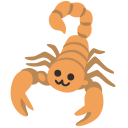
Cross-Platform scorpion Emoji Styles
Compare how the scorpion emoji character renders across different vector style sheets and native system designs:

Related Emoji Guides
Explore related vector graphics and copy codes in the same Unicode subgroup emojis: